PTP HSE Staffs – Management Functions
Overview
This page combines the main PTP HSE Staffs functions for managing the Safety Induction Kiosk experience.
Welcome Page Materials
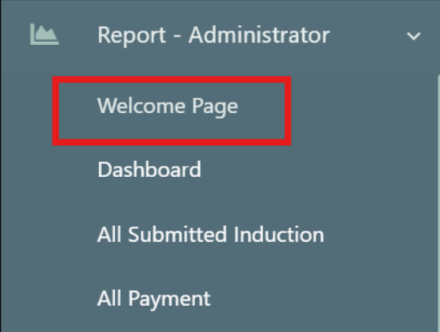
1: Open Welcome Page
- Go to
Report - Administratorand clickWelcome Pageto manage the main page content.
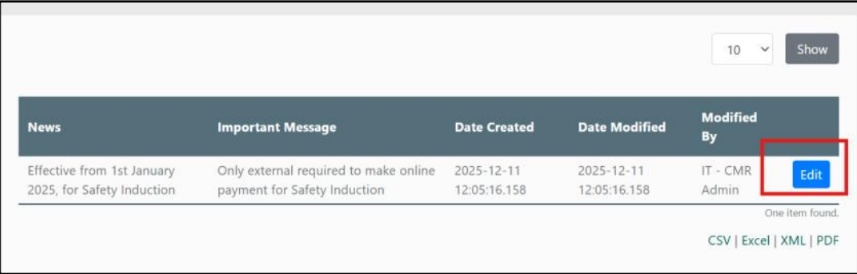
2: Edit News / Messages
- Click
Editto update latest news or messages for the main page.
Manage Video Contents
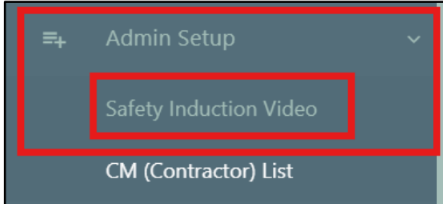
1: Open Video Management
- Navigate to
Admin Setupthen clickSafety Induction Video.
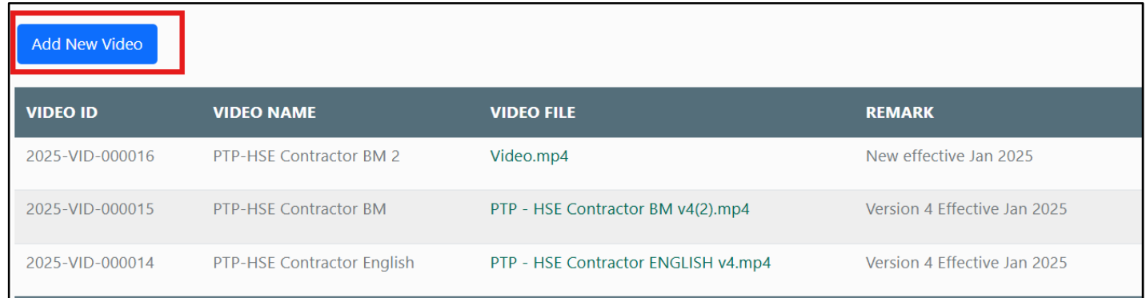
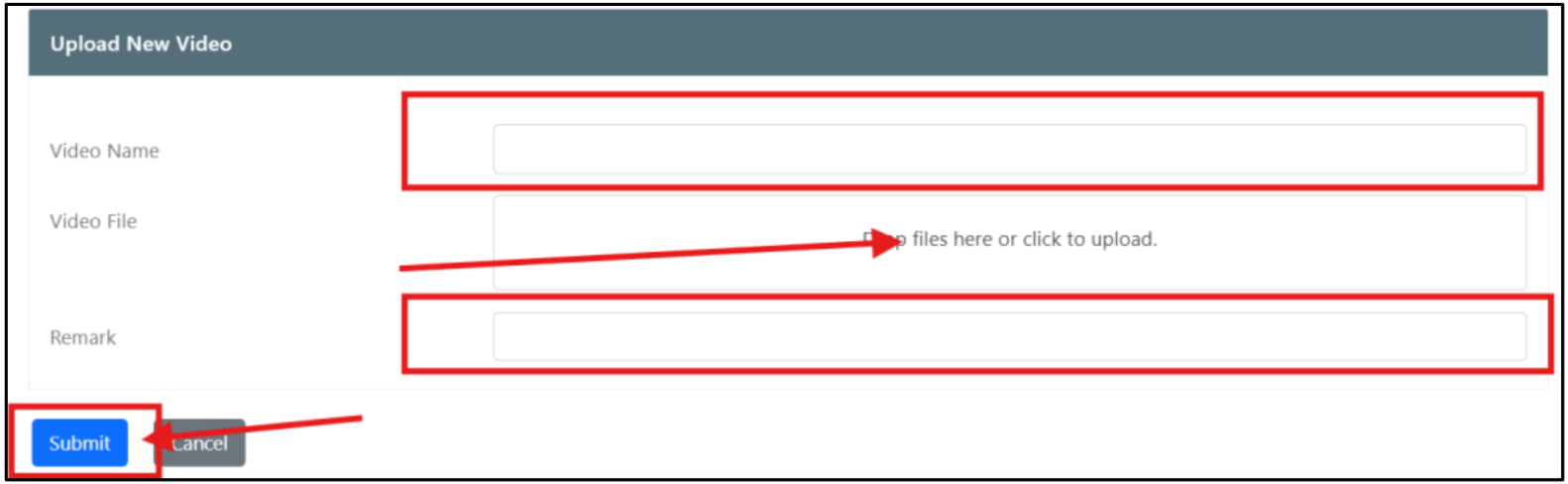
2: Add New Video
- Click
Add New Video.
3: Upload Video
- Fill in the video details and upload the file in the
Video Filefield.
4: Notify IT Admin
- An email is sent to IT Admin to publish or change the latest video.
Manage CM List
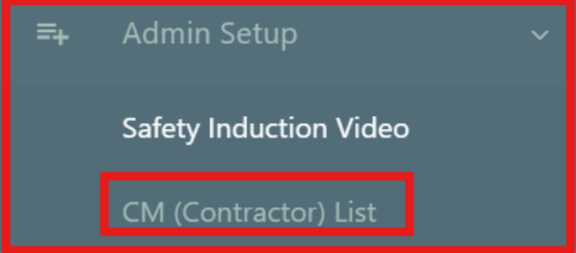
1: Open CM List
- Go to
Admin Setupthen click on theCM (contractor) list.
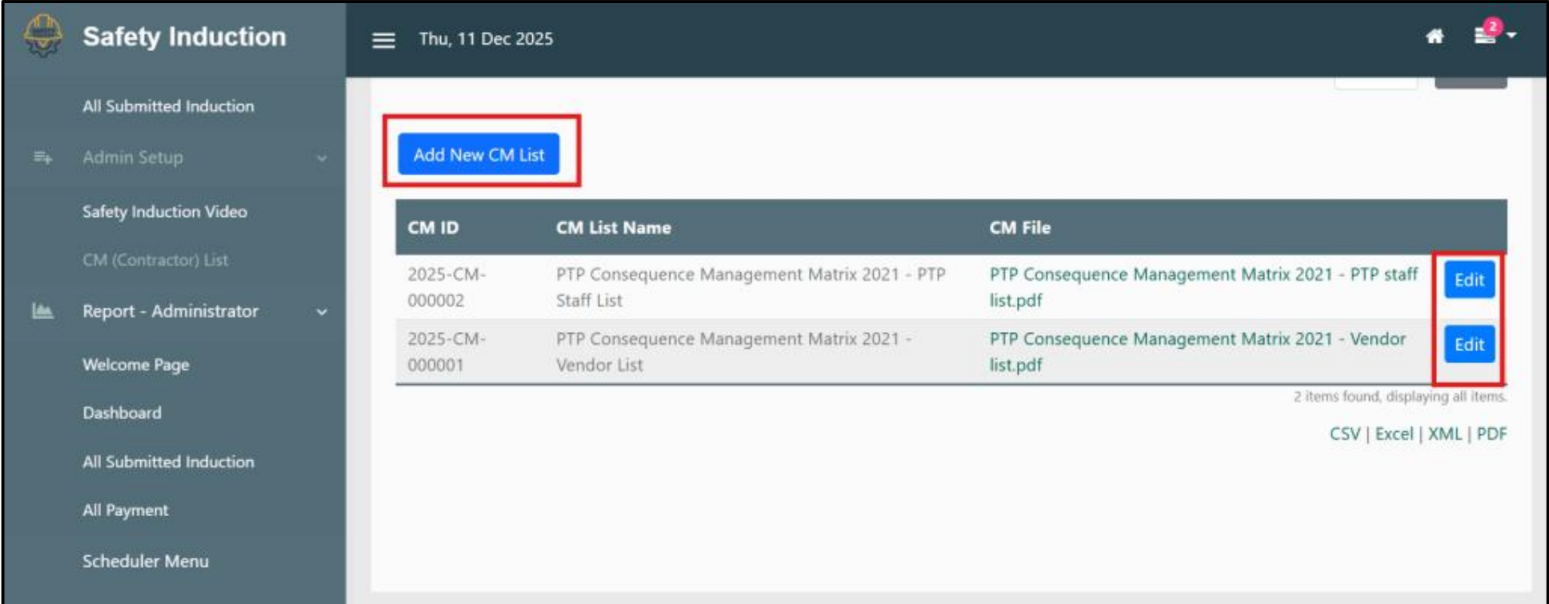
2: Add / Edit CM List
- Click
Add New CM ListorEditto manage entries.
Dashboard
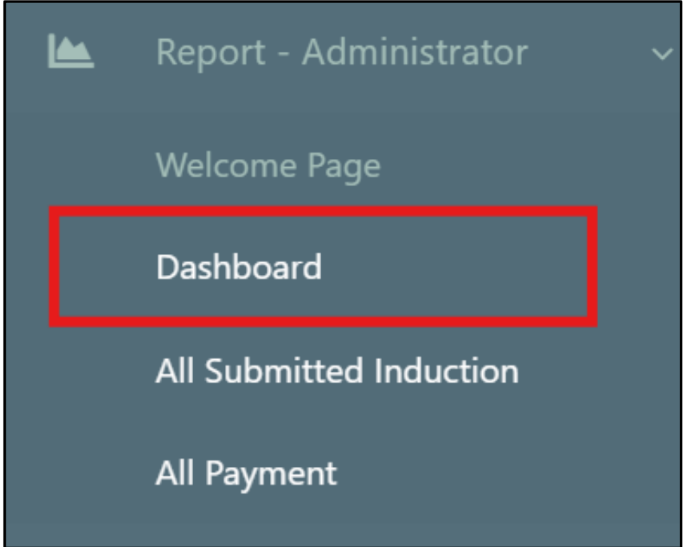
1: Open Dashboard
- Go to
Report - Administratorand openDashboard.
2: View Dashboard Details
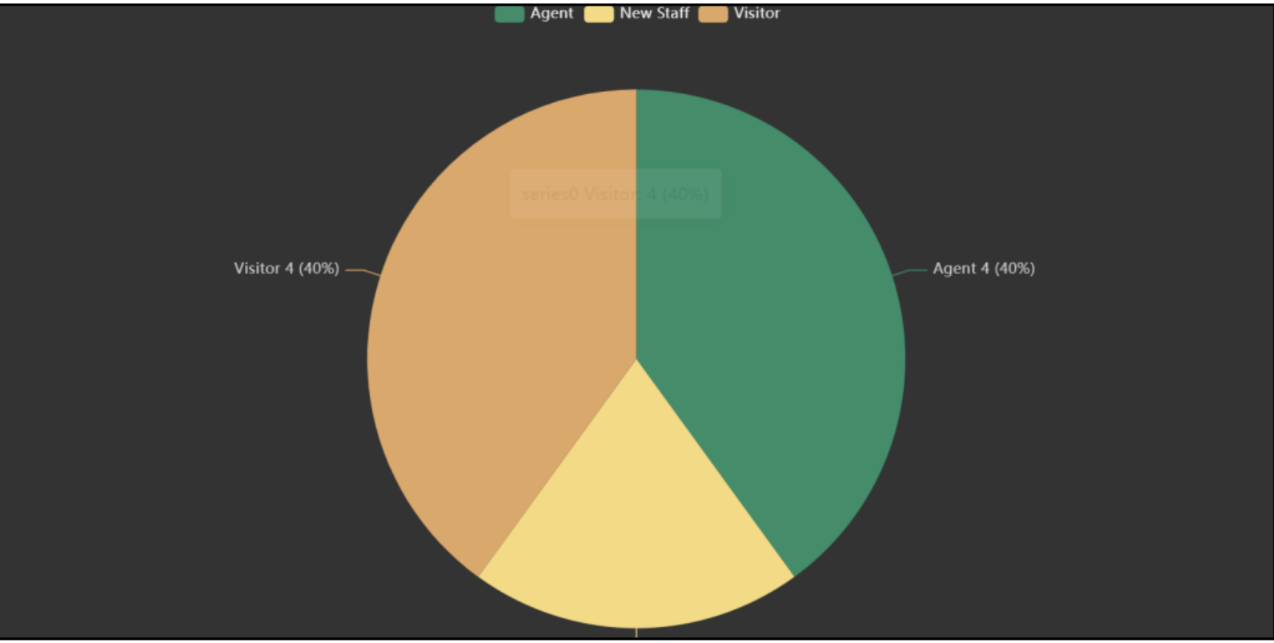
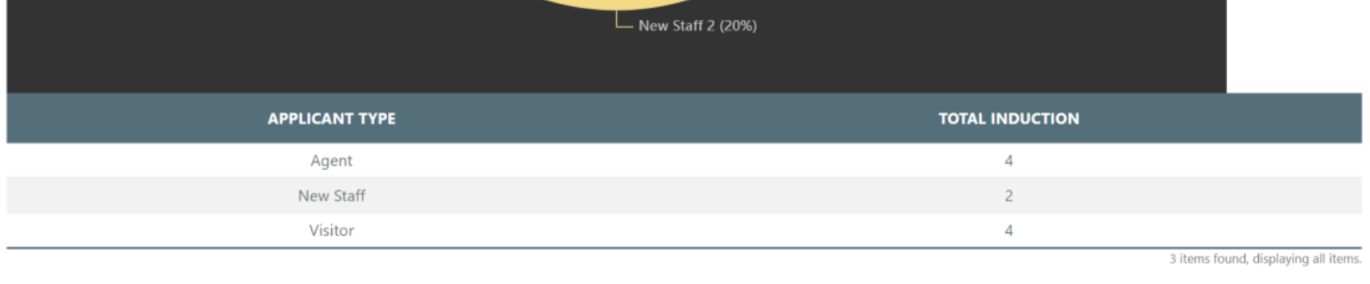
- Review the dashboard widgets and summary information.
All Submitted Induction
1: Open Submitted Inductions
- Go to
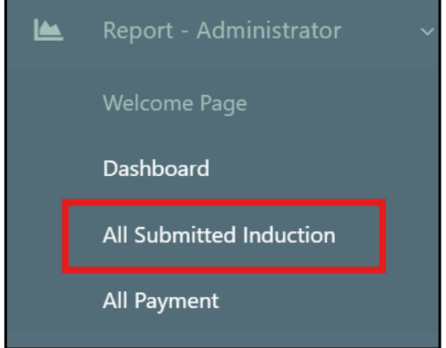
Report - Administrator>All Submitted Induction.
2: Filter and View
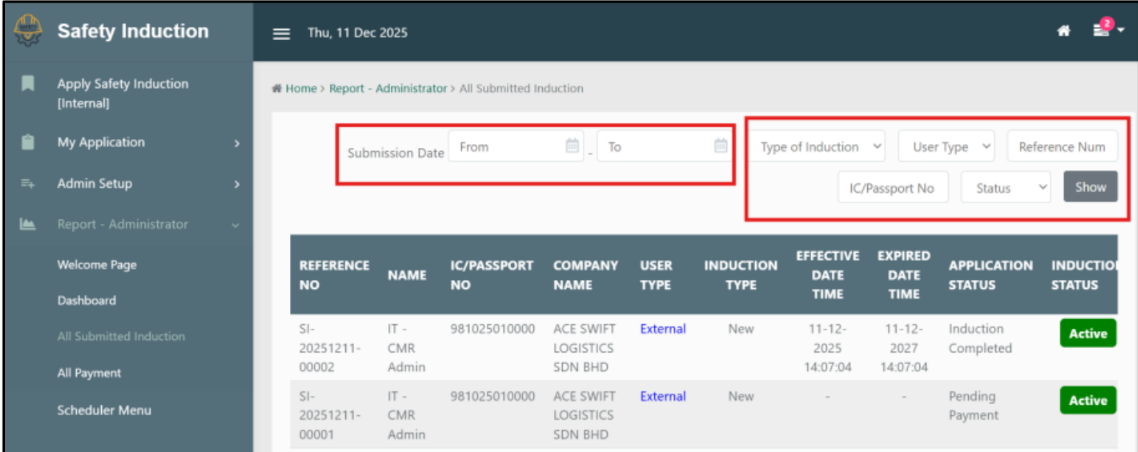
- Users can view the details of all submitted induction reports. Filter options are available for submission date, induction type, user type, reference number, status, and IC/Passport No.
All Payment
1: Open Payment Records
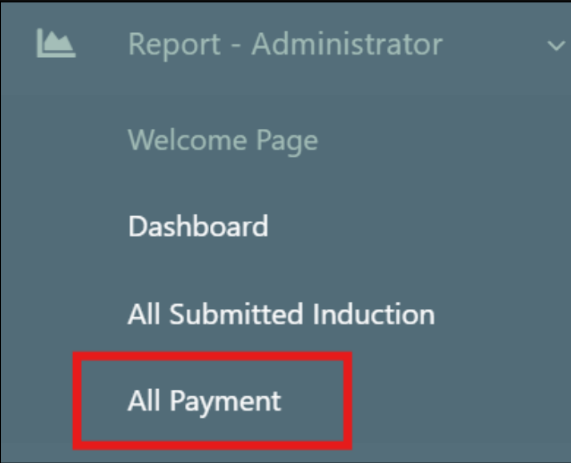
- Go to
Report - Administrator>All Payment.
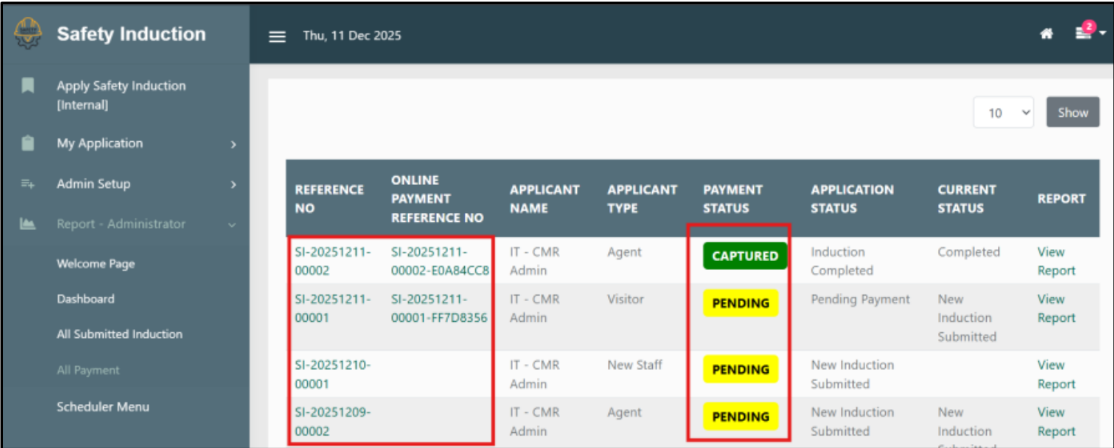
2: View Payment List
- View the list of payment details and transaction statuses.
:::info need assistance?
Contact Information:
HSE Department
- Muhammad Zulfadhli Zulkefli - [email protected]
- Hanif Sajat - [email protected]
- Maisarah Mohd Zaki - [email protected]
IT Department
- IT PMO & Development - [email protected] :::